
Integrations
Connect Paperless Pipeline to the tools you already run
Native integrations where it matters most, and 1,500+ more through Zapier.
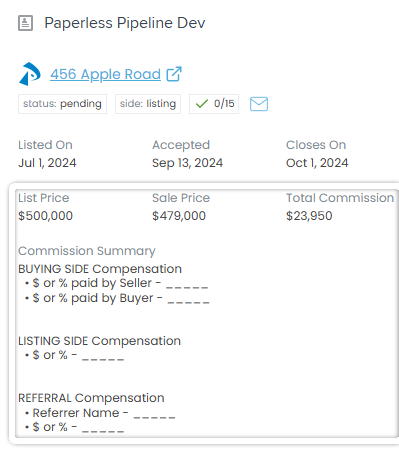
See your transactions right inside Follow Up Boss
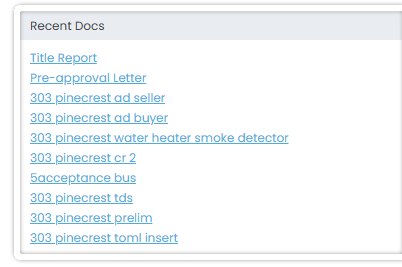
No tab-switching. Status, dates, commission, and documents show up directly on the Follow Up Boss lead profile — with one click through to the full file in Paperless Pipeline.
- Status, side, and checklist progress at a glance
- Key dates, price, and full commission breakdown
- Email straight to your transaction maildrop
- Recent documents, one click away
Also native
DocuSign, Dropbox Sign, Dropbox, MailDrop, CSV import, and calendar sync
DocuSign eSignature integration
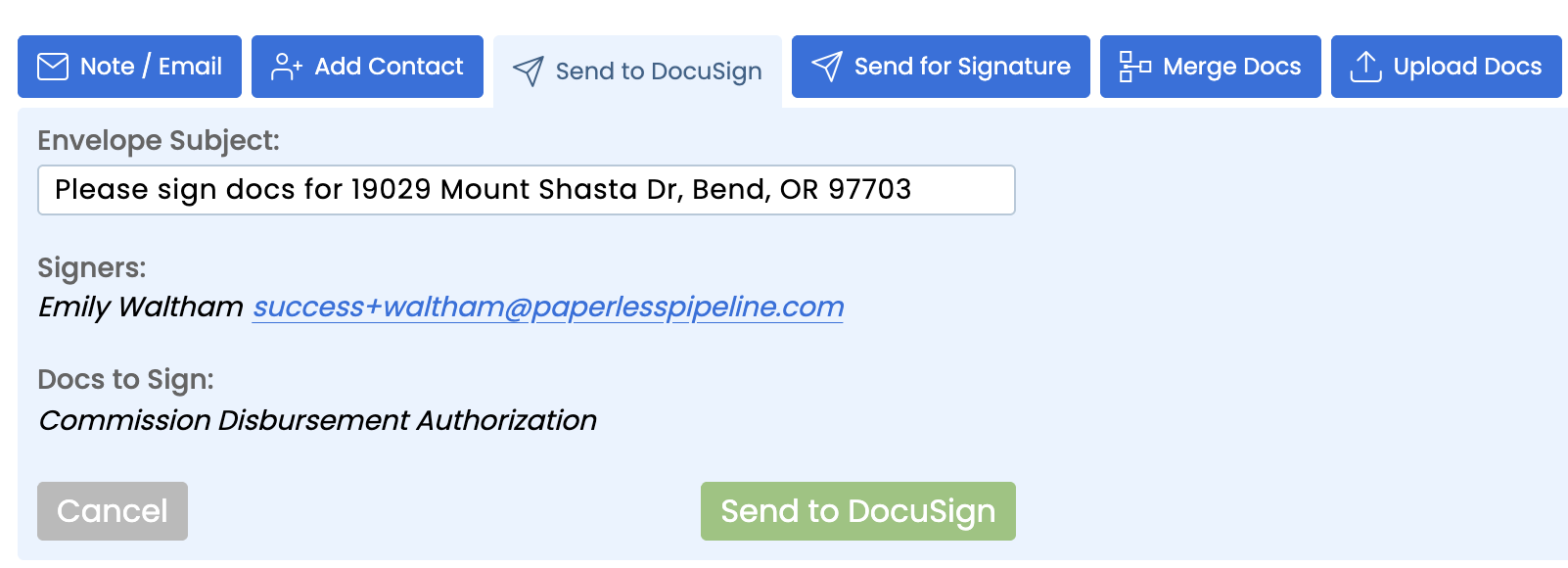
Connect your DocuSign account once from Admin > Integrations. From any transaction, pick the documents, add signers, and send. Paperless Pipeline sets the envelope subject from the property address, so the envelope is identifiable in DocuSign without anyone renaming it. When the last signer finishes, the executed PDF drops back into the transaction under its standardized document name, ready for review. Nobody downloads a signed copy from email and re-uploads it, and nothing sits in an inbox waiting to be filed. If the document is on a checklist, marking it received closes out the task and any dependent due dates recalculate from there.
Dropbox Sign integration
Connect Dropbox Sign once from Admin > Integrations and it becomes a send option on every transaction. Choose the documents, add the signers in order, and send without leaving the file. Paperless Pipeline tracks the request while it is out, so you can see what is still waiting on a signature instead of asking. When signing completes, the executed PDF returns to the same transaction under its standardized document name, ready for the reviewer. Brokerages that already pay for Dropbox Sign keep that account and that signing experience for their agents, and still get documents filed automatically. There is nothing to forward and nothing to rename.
Dropbox file import
Already have documents sitting in Dropbox? Connect the account and import them straight into Unassigned Docs in a few clicks, with no re-uploading from your desktop and no zip files emailed around. This is how most brokerages move historic paperwork in during setup: point at the folder, pull the documents, then assign them to the right transactions and document names inside Paperless Pipeline. It is also useful day to day for teams whose agents already save scans to Dropbox on their phone. The documents keep their original files intact in Dropbox; the copy in Paperless Pipeline is the one that gets reviewed and tracked on the checklist.
MailDrop email-in addresses
Every transaction and every user gets their own MailDrop email address. Forward an email, or have a lender or title company send directly to it, and the attachments land in Unassigned Docs on the right transaction for someone to name and assign. Agents who will never learn a new interface can forward from their phone and still be filing correctly. It also covers any tool with no native connection: if a third-party eSignature service can email a completed PDF, MailDrop gets it into the transaction. Asheville Realty Group runs its intake this way, pairing MailDrop with DocuSign to keep documents flowing in from both directions.
CSV transaction import
Bring existing transactions in without re-keying anything by hand. Download the sample spreadsheet, map your data to the column headers, and upload up to 50 transactions per file, splitting larger sets across multiple files. Add your agents as users first and include their email addresses so each deal maps to the right person on import. Most brokerages use this once, during migration, to land in-flight deals from a previous system, and our team will run a bulk migration for you at no charge. After that, transactions are created in Paperless Pipeline directly, or from a Zap when another system is the source of truth.
Google, Outlook and iCal calendar sync
Subscribe any calendar to your Paperless Pipeline task due dates. Copy the calendar URL from your account and add it in Google Calendar, Outlook, Apple Calendar, or anything else that supports subscribing by URL. It is a one-way live feed that refreshes in the background: new tasks appear, completed tasks disappear, and rescheduled dates move themselves when a closing date changes. Agents see contract deadlines next to their showings without logging in, and coordinators get their whole week in one view. Nothing is installed, and each person subscribes to their own feed, so people only see the tasks assigned to them.
Follow Up Boss embedded app
Install the Paperless Pipeline app inside Follow Up Boss and the transaction shows up on the lead record. Your agents see status, side, checklist progress, key dates, price, and the full commission breakdown on the contact they were already looking at, plus recent documents one click away. There is no tab-switching and no asking the office where a deal stands. Because it reads live from Paperless Pipeline, the CRM never carries a stale copy of the closing date. Full setup steps are on the Follow Up Boss integration page.
Everything else, through Zapier
A status change in Paperless Pipeline can fan out to 1,500+ apps through Zapier - your CRM, accounting tool, or Slack, kept in sync with zero re-keying.
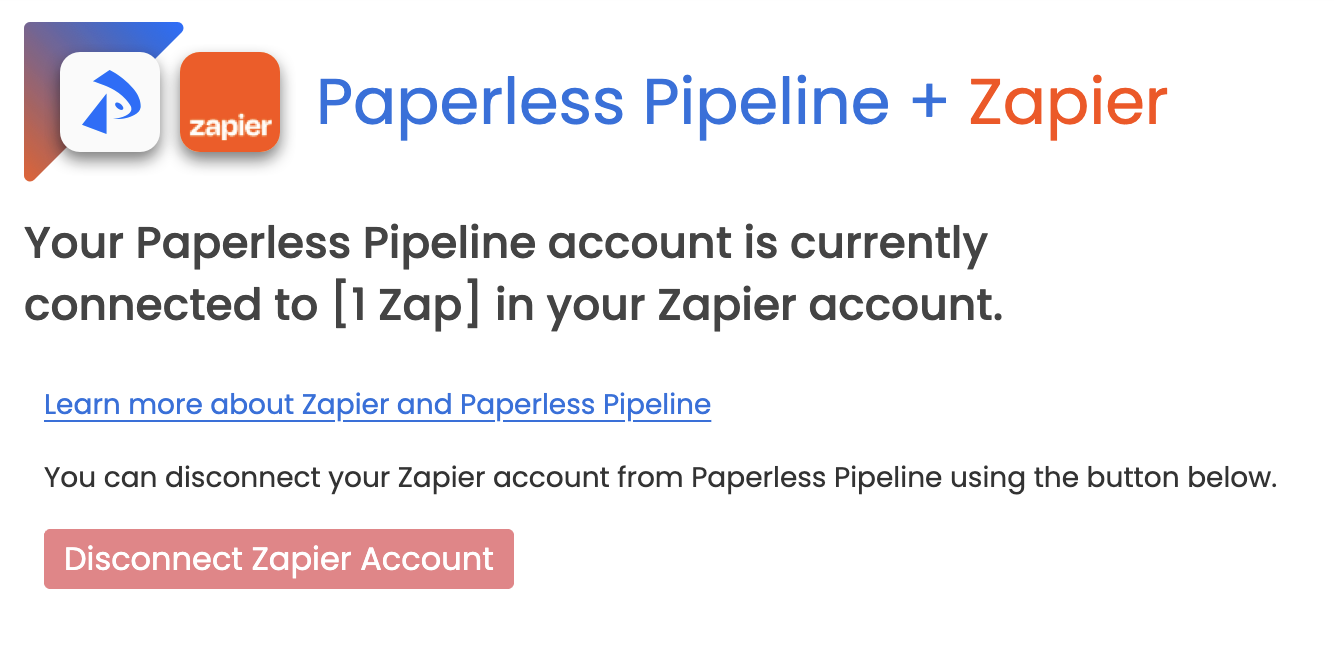
If it connects to Zapier, it connects to Paperless Pipeline - that is 1,500+ apps beyond the native list above. Once connected, Paperless Pipeline shows you which Zaps are active and lets you disconnect anytime.
- Listing under contract advances the matching record in your CRM.
- Transaction status changes to Closed and Zapier creates the bill in QuickBooks automatically, with the address, close date, and commission fields already filled in.
- A closing pushes clean data into a Google Sheet for reporting.
How Paperless Pipeline compares
| Capability | Paperless Pipeline | Dotloop / SkySlope |
|---|---|---|
| Native eSignature | Pipeline eSign add-on plus native DocuSign and Dropbox Sign connections, your choice | Their own eSign, their way |
| Pricing model | Flat, priced per transaction from $69/month | Per seat - you pay again every time you hire |
Asheville Realty Group cleared hundreds of backlogged emails and saves two hours per day running document intake through MailDrop and DocuSign side by side.
Every integration on this page is included. Plans start at $69/month, priced per transaction, not per user - so connecting your stack costs nothing extra. Pipeline eSign, the built-in alternative to a separate eSignature tool, is an add-on billed in blocks of 10 requests.
Common questions
Which tools does Paperless Pipeline integrate with natively?+
DocuSign, Dropbox Sign, Dropbox (file import), and Follow Up Boss, plus MailDrop email-in addresses, CSV import, and one-way calendar sync. Everything else connects through Zapier - 1,500+ apps.
What does the Follow Up Boss integration actually do?+
It is an embedded app inside Follow Up Boss that surfaces a linked lead's transaction status, key dates, price, and commission breakdown, plus quick access to recent documents, without leaving Follow Up Boss.
What if I use an e-sign tool that isn't DocuSign or Dropbox Sign?+
Every transaction has its own MailDrop email address. Forward a signed document from any third-party e-sign tool (or any email at all) and it is added to the right transaction automatically.
Do I need a paid Zapier account?+
Zapier sets its own plan limits, but connecting Paperless Pipeline to Zapier itself is free once you have a Zapier account and a master admin authorizes it.
What if my CRM or accounting tool isn't listed?+
If it connects to Zapier, it connects to Paperless Pipeline - that is 1,500+ apps beyond the native list above.
Do integrations cost extra?+
No. Every integration on this page is included. Plans start at $69/month, priced per transaction, not per user, so connecting your stack costs nothing extra. Pipeline eSign, the built-in alternative to a separate eSignature tool, is an add-on billed in blocks of 10 requests.
Start connecting your stack
Free 14-day trial. No credit card. Cancel anytime.
14 days, full access·No credit card·Free setup with you
Closing 250+ transactions a year? Request a call