
Real estate transaction checklists that apply themselves.
Retire cluttered paper checklists and bloated digital tools. Build playbooks once, and let Paperless Pipeline apply them automatically based on the deal type, side, location, and stage.
Full access for 14 days. The real product, your real deals, day one.
No credit card. No contract. We set it up with you — free.
G2 4.7/5 · Capterra 5/5 · 1,700+ brokerages
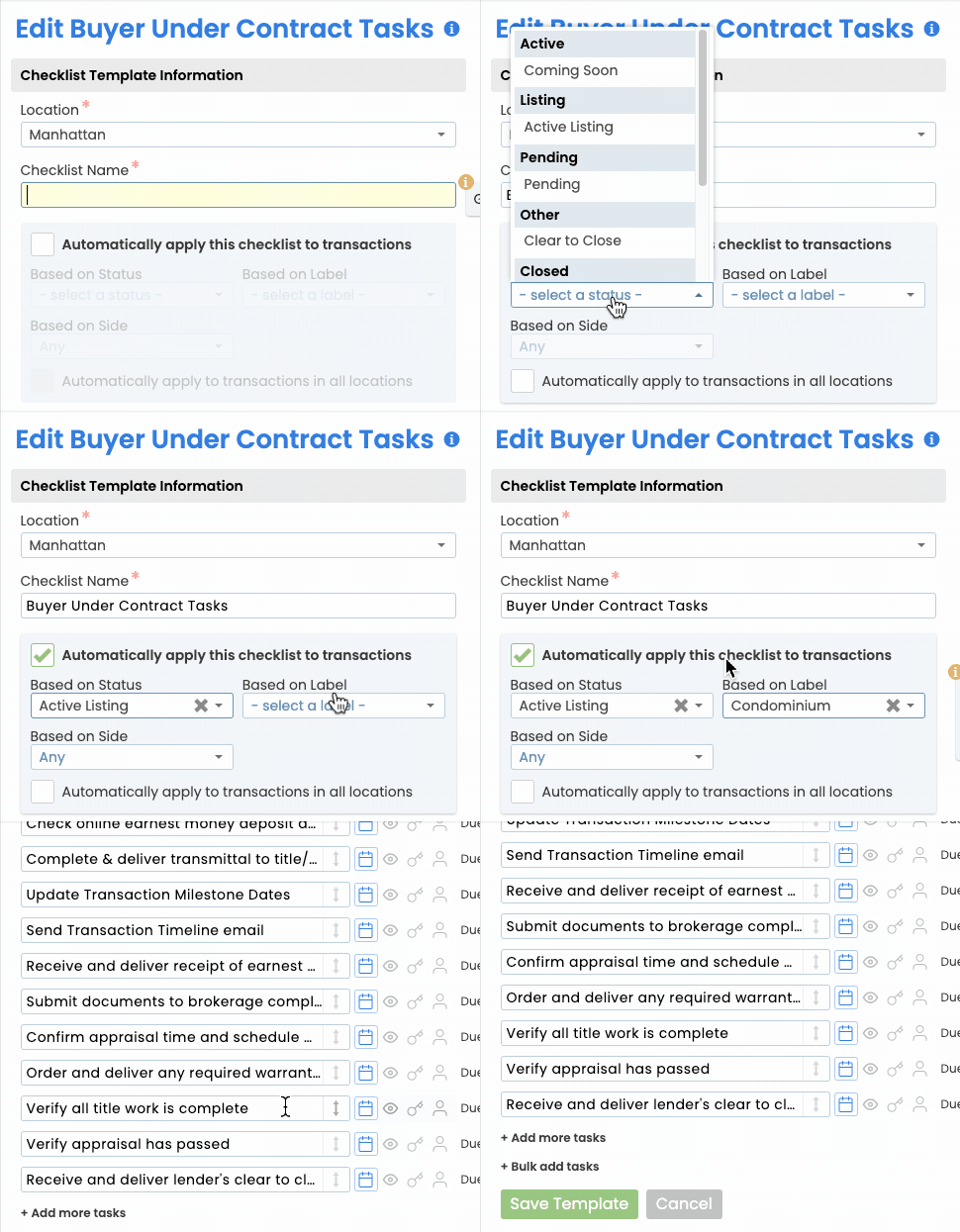
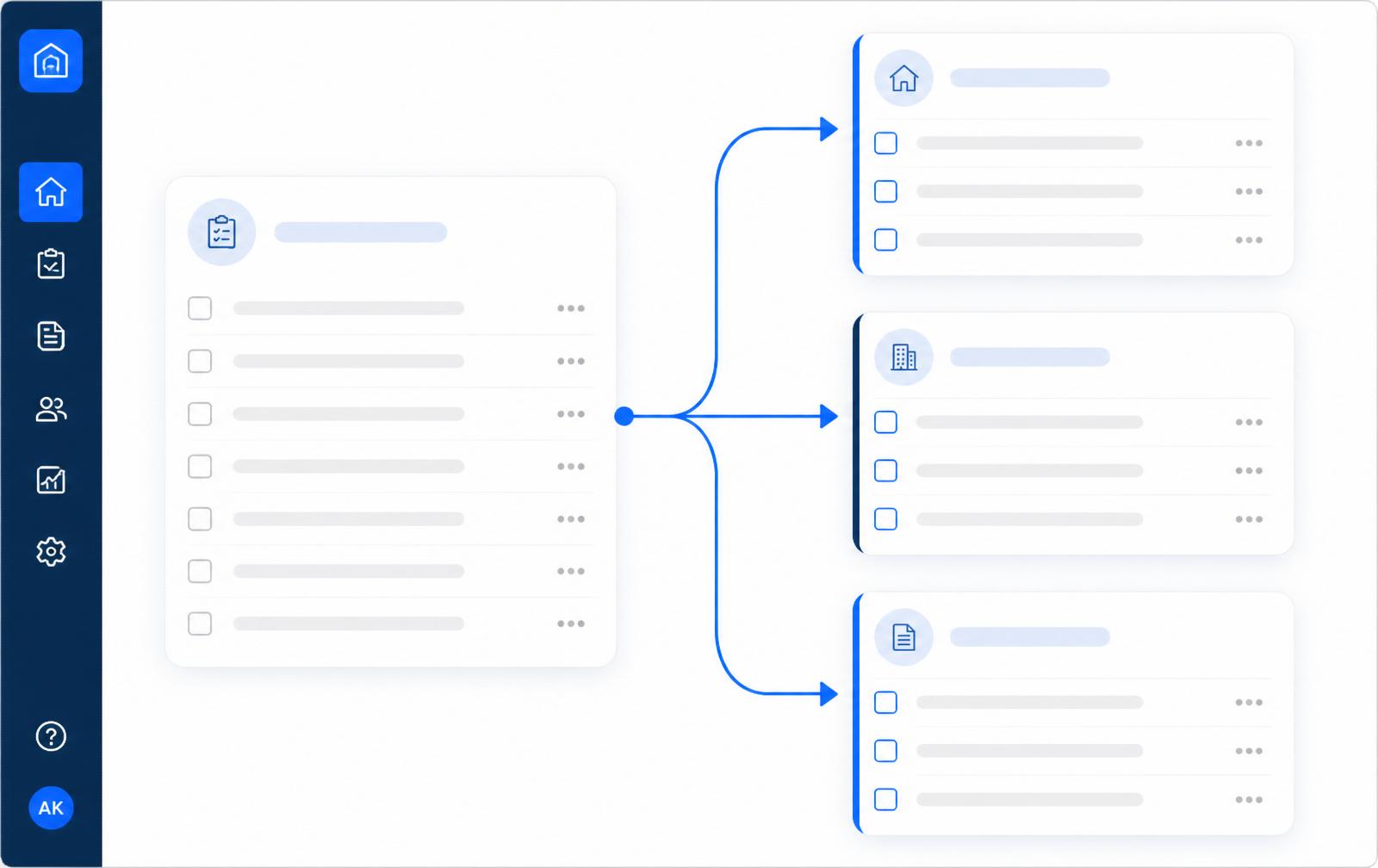
One library. Every variation of every deal.
Branch your checklists by deal type, buyer or seller side, office, and status. Agents only see the tasks that actually apply — no more skipped steps, no more noise.
- Branch by deal type, side, location, or stage
- Reusable task blocks shared across templates
- Different lists for residential, commercial, lease, and referral
- Automatically swap lists when a listing becomes a sale
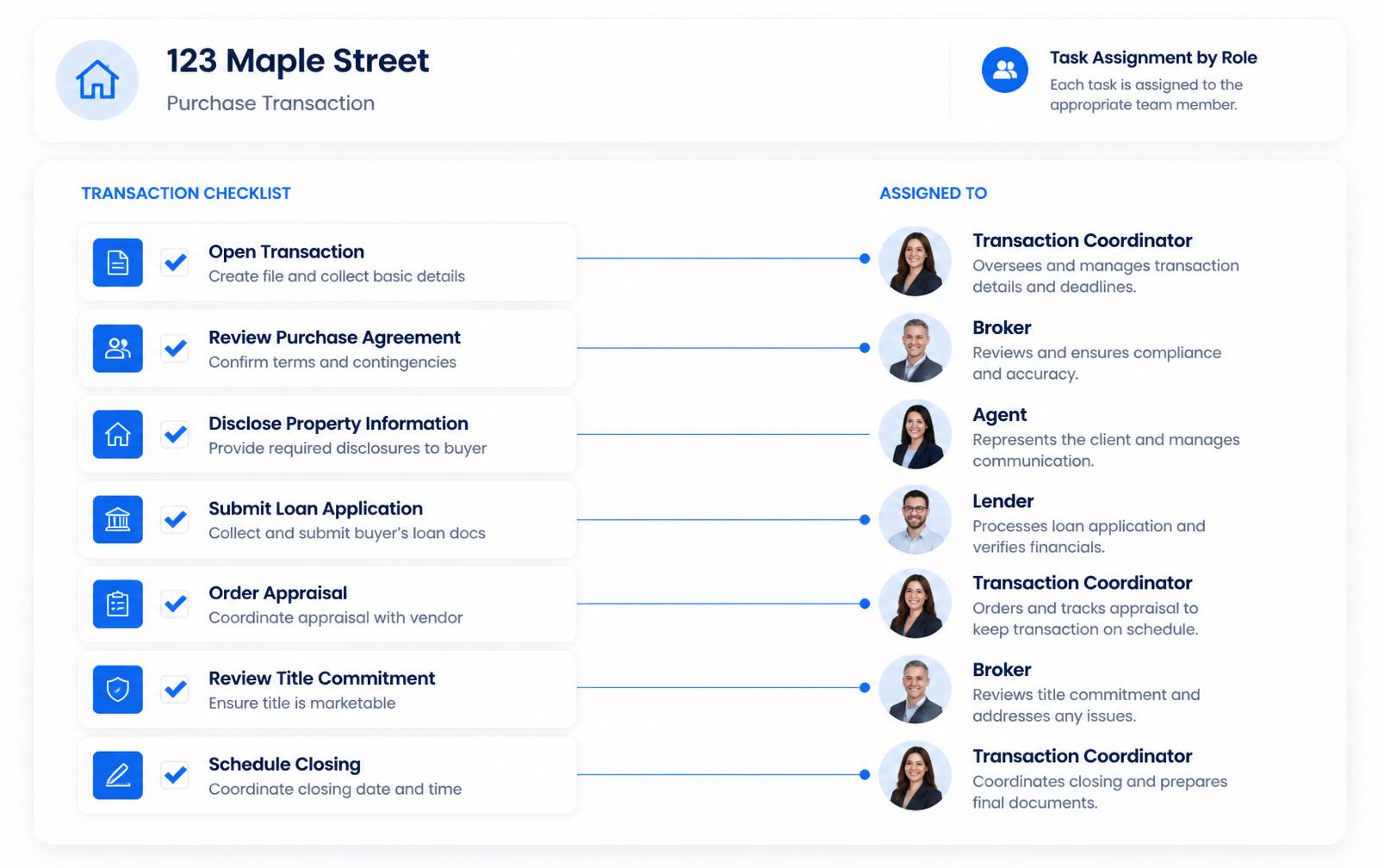
Every task has an owner, every owner has a task.
Assign tasks to roles, not people. When a transaction is created, Paperless Pipeline routes each task to the right admin, transaction coordinator, or agent — no manual hand-offs, no dropped balls.
- Role-based assignment (TC, broker, agent, lender)
- Re-assign in bulk when staff changes
- Per-task notes, file requirements, and instructions
- Required tasks stay open and flagged until an admin reviews and completes them
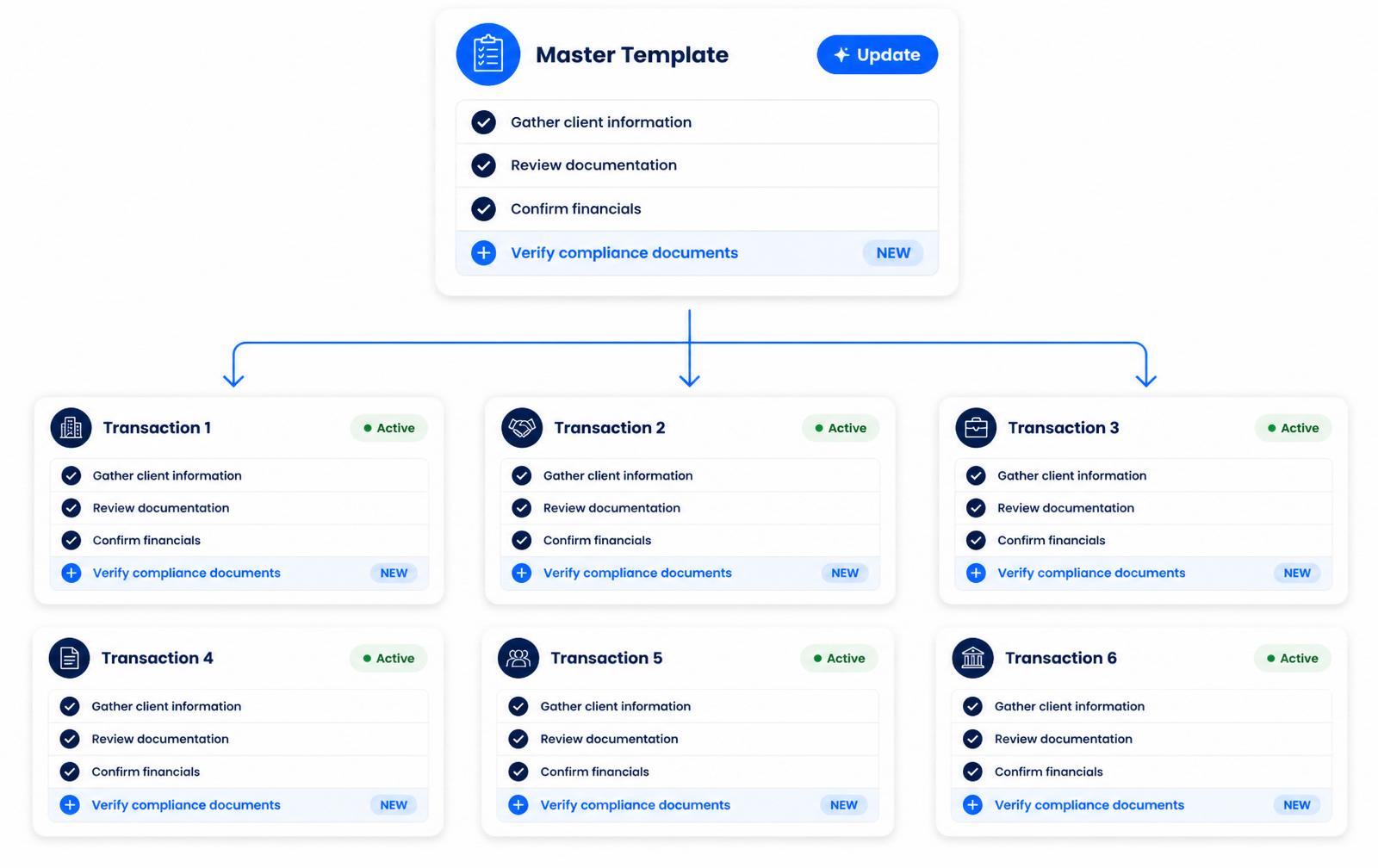
Update once. Every active deal gets the memo.
When state forms change or your office adds a new step, edit the master template. Paperless Pipeline updates every in-flight transaction without losing what's already done.
- Push template updates to active deals or new ones only
- Version history on every checklist change
- Preview the diff before rolling out
- Per-office overrides without forking the template
Your account is usable on day one.
Most brokerages are fully operational in under a week, with free setup, free admin training, and free transaction import included on every plan.
Map your playbook
List the steps your top TC runs for each deal type. Paperless Pipeline gives you a template editor that mirrors how you already work.
Add conditions
Branch by side, location, or property type. Each branch only surfaces the tasks that actually apply to that variation.
Assign by role
Pin tasks to roles — TC, broker, agent, lender — so routing happens automatically when a transaction is created.
Roll out & iterate
Push to every active deal or only new ones. Version history makes it safe to keep improving the template.
Built for every role on the transaction.
Transaction coordinators
Stop re-typing the same checklist for every deal.
Templates apply themselves the moment a transaction is created.
Designated brokers
Guarantee every deal follows the required steps.
Required tasks stay visible and incomplete until an admin signs off, so you can see at a glance which deals are not ready.
Agents
Know exactly what is owed and when.
Personal task list updates in real time as the deal moves.
At this point, I've tried everything. Paperless Pipeline makes the most financial sense and it was the easiest platform to onboard agents.
How Paperless Pipeline compares.
Questions, answered.
Still curious? Our team is one message away.
How do checklists apply themselves to a transaction?
Paperless Pipeline adds the right checklist automatically the moment a transaction matches your rules. You build Checklist Templates once, then set them to apply based on the transaction's status, side, and label - so a new pending residential listing picks up your pending-listing checklist with no one having to attach it by hand. You can still add any template manually if you ever need to. See how transactions work.
What is the difference between a checklist template and a checklist on a deal?
A template is the master version you manage centrally; the checklist on a transaction is a copy you can tailor without affecting the template. Template settings - relative due dates, visibility, key-date flags - carry over to every transaction the template lands on, which saves you configuring each deal. Once a checklist is on a transaction, you can add, remove, or edit individual tasks there and the template stays untouched.
Can I have different checklists for buyer side, seller side, and dual-sided deals?
Yes. You can auto-apply checklists by side - Listing, Buying, Dual-Sided, or Any. Paperless Pipeline reads the side automatically from the agents on the deal, so a buying-side template only fires when an in-house buying agent is added, and a Dual-Sided template only fires when both an in-house listing and selling agent are on the same transaction. Keep listing and buying tasks in their own templates rather than mixing them into a dual-sided list.
Can checklists apply differently by property type or office location?
Yes - you can branch checklists by transaction label and by location as well as by side and status. Labels usually represent property type (residential, commercial, land, rental, condo), so you can run separate lists for each, and you can name both Commercial and Residential on one template to cover either. For multi-location brokerages, a template auto-applies only to transactions in the locations you choose, unless a master admin sets it to apply in all locations. Explore multi-office features.
What happens to the checklist when a listing becomes a sale?
Checklists are tied to status, so they swap as the deal moves through its stages. Set a template to apply when a transaction reaches a given status - for example pending or under contract - and Paperless Pipeline adds it as soon as the status changes, while the listing-stage checklist stays on the deal for your records. That way each stage surfaces the tasks that actually apply to it.
Can agents see only their own tasks instead of the whole list?
Yes. Every task has a Visibility Type, so you decide who sees it. You can set a task to Anyone, Admins only, Listing Agents, Selling Agents, both, or to a specific person or role via @mention - and you can set visibility once on the template so it carries to every transaction. Master admins always see every task regardless of the setting, and agents only see what is visible to them on the deal, on their Tasks page, and in their daily reminder email.
How do tasks get checked off?
Tasks are completed in two stages, so nothing is marked done without a second look. An agent checks a task to mark it done, which signals to the admin that it is ready for review and drops it off the agent's reminder email; an admin then verifies and completes it, which updates the transaction's checklist completion status. An admin can undo a check, and either side can mark a task Not Applicable when it does not apply to that deal.
Can I assign or highlight a task for a specific person or team?
Yes - admins can @mention a person or a role on any task to make it stand out for them. @mentioned users see those tasks highlighted on the transaction, on their Tasks page, and in emails, and they can filter to just their @ tasks or sync only those to a calendar. To assign by team, @mention a Role (set on the user's profile) so a whole group - say your office staff - picks it up.
Can I reuse one checklist library across multiple offices and update it later?
Yes. You build one central library of templates and reuse it across every office, with per-location control over which lists apply where. When a form or a step changes, you edit the master template and the change flows to transactions the template applies to going forward; checklists already on active deals keep what is already done. You can also copy a template to spin up a variation, or download any template as a spreadsheet for backup or sharing. See pricing.
Real estate transaction checklists is included on every Paperless Pipeline plan, from $69/month, priced on the new transactions you start each month, not per user. Unlimited users, offices and storage. No setup fees, no contracts. The Commission Module is an add-on from $49/month.
Try Paperless Pipeline with your own deals.
Spin up your account in minutes and run your real workflow end-to-end.
14 days, full access·No credit card·Free setup with you
Closing 250+ transactions a year? Request a call