
Real Estate Team Software for Transaction Management
Keep your team's deals organized.
Assign every task to the right person, track contract-driven due dates, see the up-to-date paperwork status on every transaction, and pull production reports, all in one place.
14 days, full access. No credit card. Free setup with you. See it first
G2 4.6/5 (21 reviews) · Capterra 4.8/5 (10 reviews), as of October 2026 · 1,700+ brokerages

Keep your entire team on the same page
Keep all transaction communication, paperwork, and due dates in one place. Your team will instantly know the up-to-date status and next steps for every transaction.
How top-producing teams surface more vital info in Paperless PipelineTrack critical due dates on every transaction
Automatically track every vital due date and sync to your favorite calendar, or get reminders, so nothing slips through the cracks.
Customize date fields for better task management
Coordinate responsibilities across multiple team members
Assign contract-driven due dates and time-sensitive tasks to the right people on your team. Add notes to any transaction and keep every step accounted for.
@Mention a person or a role on any task and it is highlighted for them on the transaction, their Tasks page and their emails. An agent checks a task off; an admin verifies it.
Get tasks to the right people on your teamQuickly generate commission reports to track production
Access transactions from any device. Pull reports by pending commissions, closed deals, lead source, and more.
Run the Comparative Production report for one agent or the whole team: sales volume, average sale and transactions closed, month by month, across years. The Commission Module adds Agent Production and Pending Commissions reports.
How teams set up and track lead sources in Paperless PipelineGive your team the advantage with features built to help them close more deals
Start every deal with the right process.
Build your checklists once. Paperless Pipeline can apply the right one based on the transaction's type, side, status, office, and other conditions.
More on transaction checklist software.
- Consistent process every time
- Tasks assigned to the right people
- No rebuilding checklists deal by deal
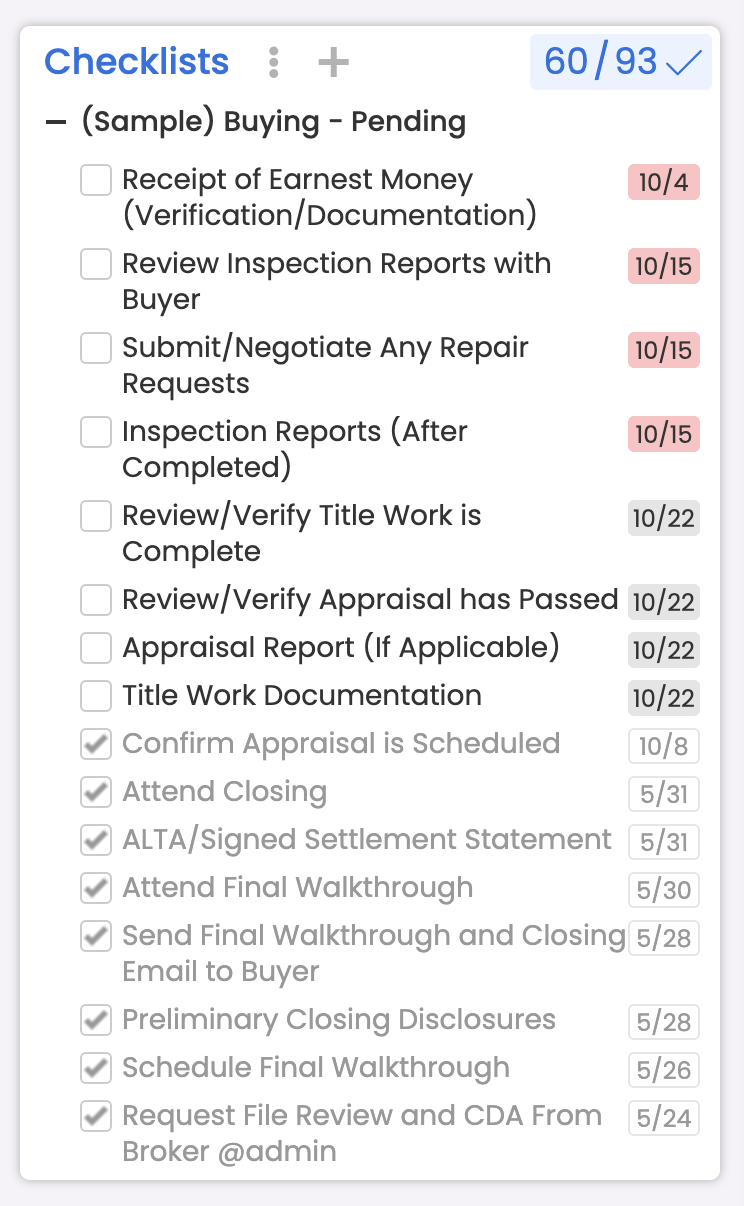
Deadlines stay connected to the deal.
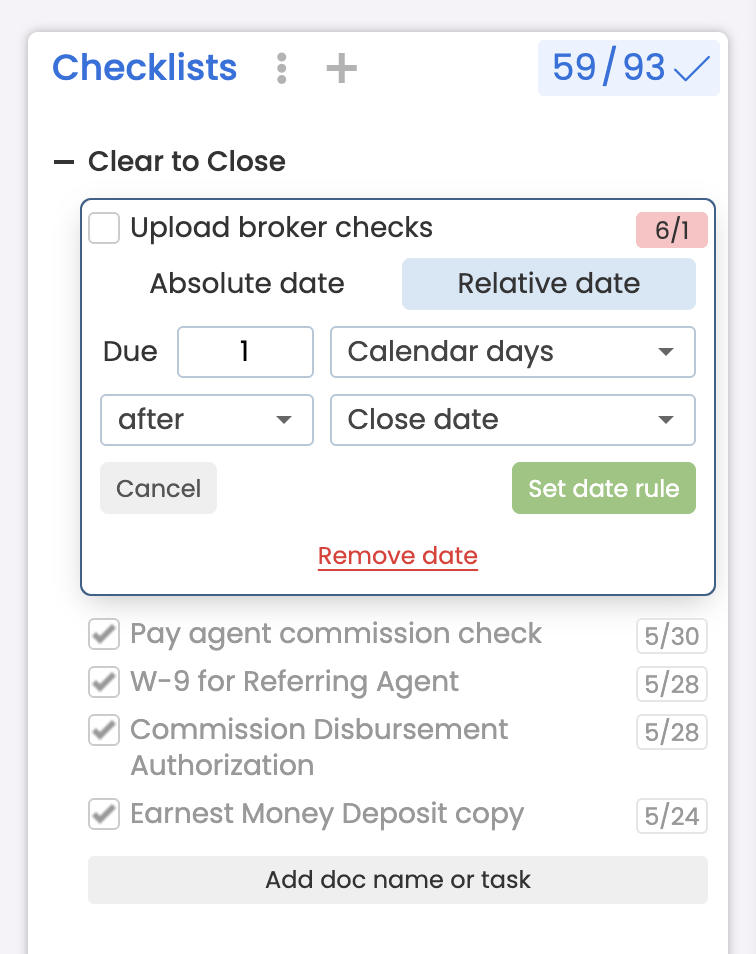
Anchor tasks to transaction dates so due dates and reminders move with the timeline instead of living on someone's calendar.
- Contract-driven due dates
- Automatic reminders
- Everyone knows what's next
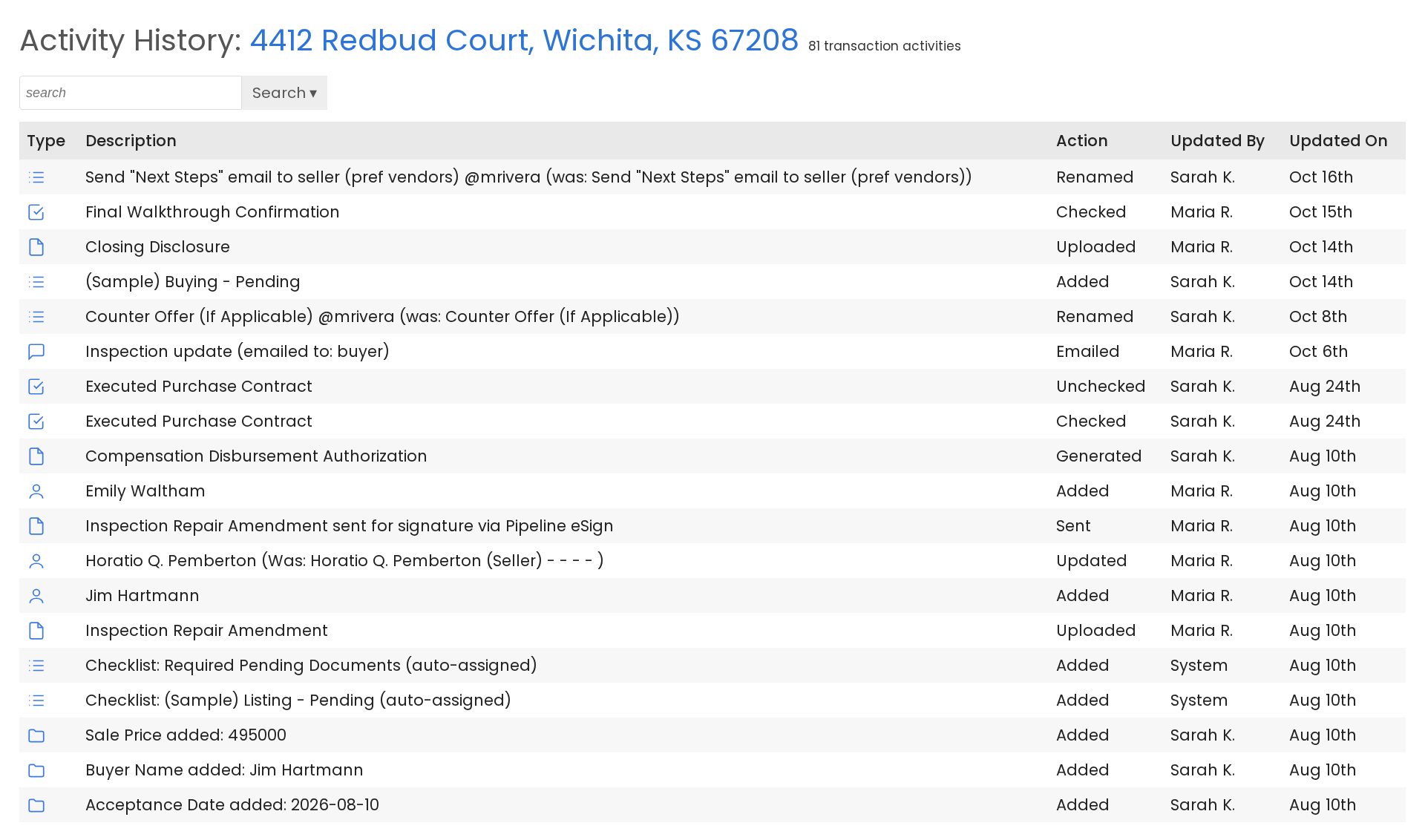
When the state audits you, the proof is already there.
Every file keeps its documents, its checklist, and a record of who did what and when. Pull it up in seconds, not days.
- See missing documents before the auditor does
- Every change shows who made it and when
- Files kept on a rolling 10-year basis
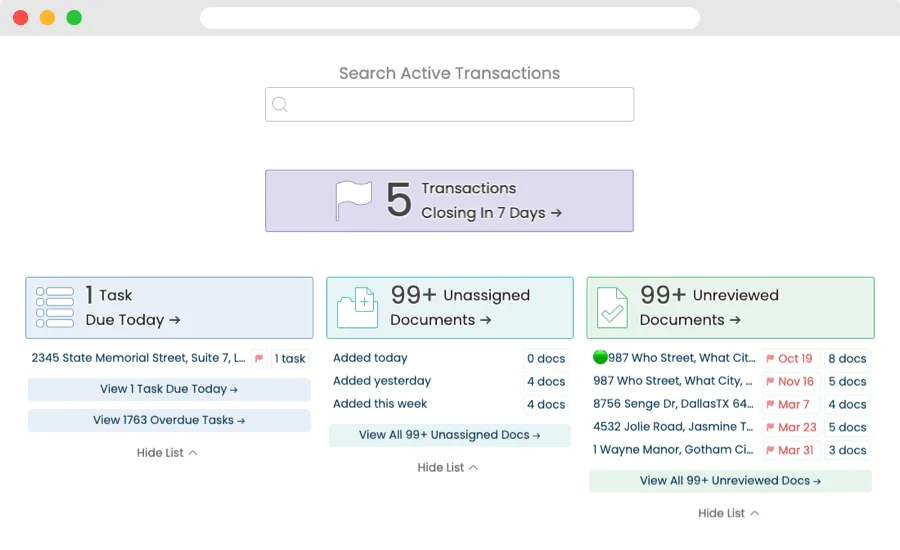
Know what's closing and what's overdue.
Built-in reports answer the questions leadership asks, with nothing to set up, on every plan. Filter on any transaction field, save the search as a shortcut, and it re-runs live in one click.
- Ready-made reports: Closing in 30 Days, Expiring in 14 Days and Overdue Closings.
- Saved views: Share a saved search with the people who need it.
- Exports: Download results as CSV, XLSX or PDF.
Commission math without the spreadsheet.
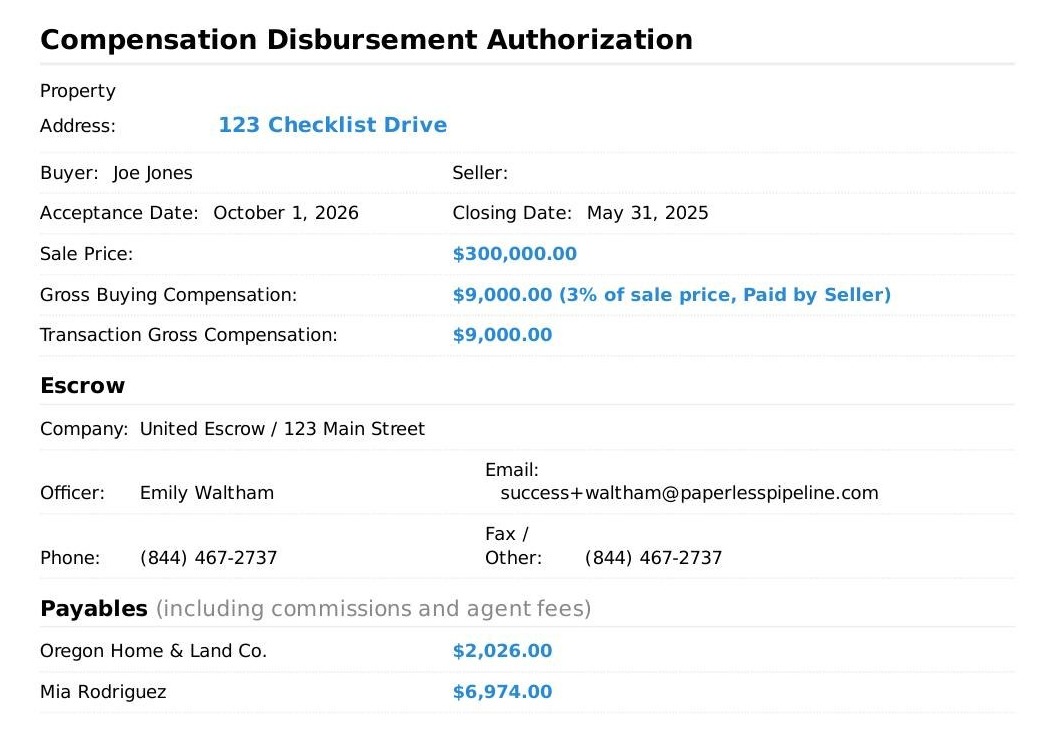
Optional Commission ModuleCalculate splits, caps, fees, and deductions from the transaction, then generate the CDA and agent statements.
- Splits, caps & fees
- CDA generation
- Agent statements & 1099 reporting
Roles and permissions: who sees what on your team
Permissions are set per user, so each person on the team sees the work that is theirs. Start from the out-of-the-box profiles for agents, TCs, brokers and finance, then adjust them as roles change, whatever your real estate team structure. On a Keller Williams team? See Keller Williams transaction management software.
Team leader
Set up as a master admin: every permission across the account, including billing and plan changes, and reports across every transaction.
Transaction coordinator or assistant
Admin permissions such as View all transactions, so they run checklists, documents and dates across every agent's files.
Agents
Only the transactions they are on. Give them Upload documents and Create transactions, and hide the screens they never use.
Bookkeeper or finance
Separate permissions to enter financial data and to view financial reports, so commission numbers stay with the right people.
Tasks and documents add a second layer. A task can be visible to anyone, admins only, listing agents, selling agents or one named person, and each document has a permission category such as Listing, Buyer or Private. Set permissions per user.
Works with Follow Up Boss and the CRM your team uses
Follow Up Boss runs your follow-up. Paperless Pipeline runs your closings, from contract to close, and connects to the CRM your agents already work in.
- Follow Up Boss. A linked lead's transaction status, key dates, price, commission breakdown and recent documents show on the lead profile, with one click to the full file.
- One contact, every deal. A repeat client's buy and sell files can both live on the same Follow Up Boss contact.
- Any other CRM, through Zapier. When a listing goes under contract, Zapier can advance the matching record in your CRM. Zapier covers thousands of apps.
Integrations come with every plan. See the Follow Up Boss integration or every integration.
We'll help you get set up. Free.
Bring your current transactions. We'll help configure your account, import your transactions, and train your admins, at no extra cost.
- Your team
Bring what you have
Current transactions, team members, and the checklists you already run.
- Setup with Paperless Pipeline
We help set it up
Account setup, checklist configuration, and transaction import, done with you.
- Ready to go
Your team is ready
Free admin training included, so day one is a working account.
- $0 setup fee
- Free admin training
- Free transaction import
14 days free · No credit card · Free setup
You bring the team. We'll help with the setup.
What a team pays.
A team pays for the new transactions it opens each month, not for each team member. Every plan includes unlimited users, so adding an agent, an assistant or a transaction coordinator never changes the price.
Up to 10 new transactions a month
$140/month, or $198/month with the Commission Module
Up to 25 new transactions a month
$190/month, or $254/month with the Commission Module
Up to 40 new transactions a month
$240/month, or $304/month with the Commission Module
Plans start at $69/month for up to 5. If a busy month goes over your plan, you move to the next tier, and you can change plans anytime as production changes.
What teams have to say about Paperless Pipeline
Paperless Pipeline has substantially increased our team's efficiency. Easy, on-the-go access is critical to us when handling 180+ transactions a year. The Pipeline team listens and is constantly innovating and incorporating what end users like us need. We are proud to be part of the Paperless Pipeline family!

I cannot imagine ever going back to any of our old processes. Prior to Paperless Pipeline our team's closing coordinator was in every pending file every day making a "to do list". This was driving me and all the agents batty. After Paperless, it's been amazing, there's no confusion on what's going on with files. Our agents and staff can access files and customer info from anywhere. Exactly what our team had been looking for.

Real estate team software questions, answered.
Still curious? Our team is one message away.
What is real estate team software?
Real estate team software gives a team leader, agents and staff one shared place to run every deal: checklists, contract dates, documents, tasks and production reports. Paperless Pipeline is transaction management software for real estate teams. Everyone gets a login, agents see the deals they are on, and the team pays per transaction, not per user. Still growing? Read how to build a real estate team.
How much does Paperless Pipeline cost for a real estate team?
Plans start at $69/month for up to 5 new transactions a month. Pricing is per transaction, not per user, so every agent, assistant and admin on your team gets a login at no extra cost. There is no setup fee and no annual contract.
Can I assign tasks to different people on the team?
Yes. Checklist tasks are assigned to the right person on each transaction, and their due dates are anchored to the deal's contract dates, so reminders move when the timeline moves.
Can one account hold more than one team?
Yes. Locations are unlimited on every plan, and a location can be used for a team, an office or a department, with its own transactions, users and permissions. A user can be an admin in one location and an agent in another, and master admins can report across every location. Read more about running several offices or teams.
Does Paperless Pipeline handle team splits and commissions?
Yes, with the optional Commission Module, an add-on from $58/month. It calculates splits, caps, fees and deductions from the transaction, then generates the CDA and agent statements. Team overrides, mentor splits and referral fees are set on each agent's plan and applied to every closing automatically. For how teams set the split itself, read real estate team commission splits.
Does it work with Follow Up Boss?
Yes. With the Follow Up Boss integration, transaction status, dates, commission and documents show up directly on the Follow Up Boss lead profile, with one click through to the full file in Paperless Pipeline.
Can my team use it on their phones?
Yes. Paperless Pipeline runs in the browser on any phone, tablet or computer, so agents can open a file or upload a signed document from anywhere.
Will you help us set it up?
Yes. Account setup, checklist configuration, transaction import and admin training are free. You can start with a 14-day free trial with full access and no credit card.
Run your team on Paperless Pipeline.
Spin up your account in minutes and put your real workflow through it, free for 14 days.
14 days, full access·No credit card·Free setup with you
Closing 250+ transactions a year? Request a call